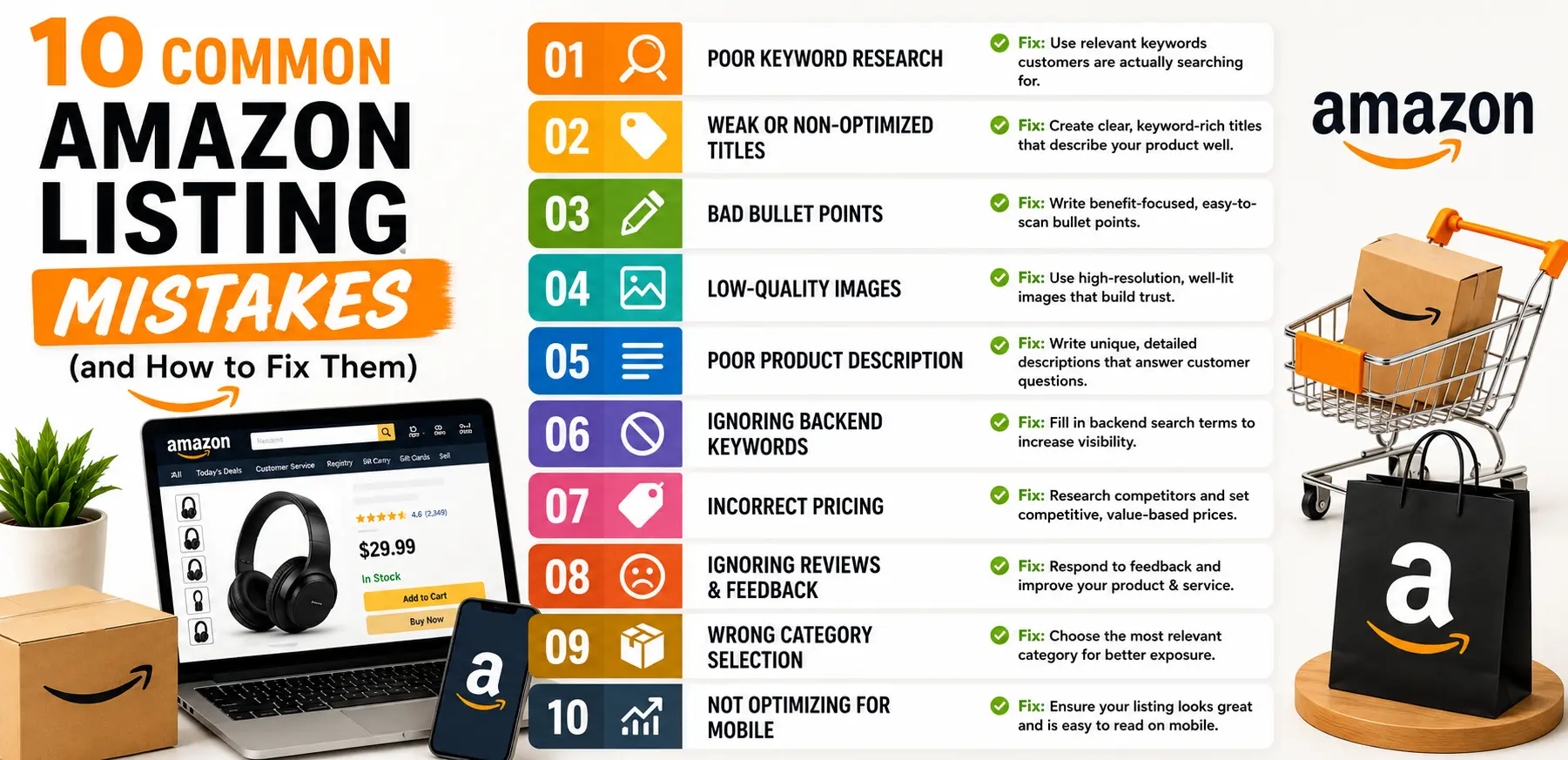
Introduction
Amazon is crowded – over 9.7 million sellers worldwide, and more than 2.5 million active products in many categories. Even minor listing errors can bury your product on page 10 of search results. In this guide, we’ll walk through the 10 most frequent listing mistakes, show you real‑world examples, and give step‑by‑step fixes so you can reclaim lost traffic and turn your listings into high‑performing sales engines.
I. Weak or Keyword‑Poor Product Titles
Why It Matters
Your title is Amazon’s #1 ranking signal. A poorly optimized Amazon listing title means fewer impressions, lower click‑through rate (CTR), and lost revenue.
Common Mistakes
- Too short or vague: “Wireless Speakers”
- Keyword stuffing: “Best Bluetooth Speaker Wireless Speaker Bluetooth Speaker Sale”
- Missing brand or model details
How to Fix It
Follow Amazon’s Title Best Practices:
- Up to 200 characters (but front‑load your top keywords).
- Format: Brand + Product + Key Feature + Model/Size.
Example Before & After:
- Before: “Wireless Speaker Black”
- After: “SoundWave SW‑10 Portable Bluetooth Speaker with 12‑Hour Playtime, Waterproof (Black)”
Tools to Use:
- Amazon’s Auto‑Suggest dropdown for keyword ideas.
- Helium10 or JungleScout for keyword volume data.
Getting titles right consistently across dozens of SKUs is exactly the kind of work that’s easy to get right once and let drift over time — it’s a core part of what we handle in Amazon product listing management.
II. Bullet Points That Don't Highlight Benefits
Why It Matters
Bullets are read by most buyers before purchasing, and feature‑only bullets fail to connect emotionally.
Common Mistakes
- Listing specs without benefits (“Battery: 8 hours”).
- Typos and inconsistent formatting.
How to Fix It
Use the FAB Formula (Feature → Advantage → Benefit):
- Feature: “10‑Hour Battery Life”
- Advantage: “Keeps music playing all day”
- Benefit: “Never miss a beat during long outdoor trips”
Power Words to Include: “Enjoy,” “Experience,” “Protect,” “Unlock.”
Formatting Tips:
- Start each bullet with a bolded power word (if allowed).
- Keep each bullet under 200 characters.
III. Generic or Low‑Quality Images
Why It Matters
High-quality images meaningfully improve conversion and are essential for mobile shoppers.
Common Mistakes
- Small, blurry photos.
- No lifestyle or scale shots.
- Missing infographics for key features.
How to Fix It
Follow Amazon’s Image Guidelines:
- Main image: Plain white background, product fills 85% of frame, ≥1,000×1,000 px.
- Secondary images:
- Lifestyle shots (in use).
- Scale/context (show sizing next to a person).
- Infographic overlays (call out material, dimensions).
Example: A vacuum listing includes:
- Main clean product shot.
- Shot of vacuum cleaning a couch.
- Graphic showing “2‑In‑1 Cordless & Upright.”
Tools & Services:
- Canva or Photoshop for infographics.
- 360° viewer plugins for interactive images.
IV. Missing A+ (Enhanced Brand) Content
Why It Matters
A+ Content educates and persuades buyers in ways plain descriptions can’t.
Common Mistakes
- Plain HTML descriptions only.
- No comparison charts or brand story modules.
How to Fix It
Enroll in Brand Registry: Free for trademarked brands—gives access to A+ modules.
Build A+ Pages:
- Module 1: Brand logo + tagline + hero image.
- Module 2: 3‑column image/text features.
- Module 3: Comparison table of your product vs. competitors.
Copywriting Tips:
- Tell your brand story in 2‑3 sentences.
- Include customer testimonials or awards.
V. Ignoring Backend Search Terms
Why It Matters
Backend keywords expand your reach without cluttering front‑end copy.
Common Mistakes
- Leaving them blank.
- Stuffing with commas or punctuation (Amazon ignores punctuation).
How to Fix It
Include:
- Synonyms (“wireless speaker,” “portable speaker”).
- Common misspellings (“bluettooth,” “blue tooth”).
- Alternate names (“portable boombox”).
Best Practices:
- 250 char limit, single spaces between phrases.
- No repeat front‑end keywords.
Tools:
- MerchantWords or Sonar for long‑tail suggestions.
VI. Inconsistent or Incorrect Pricing
Why It Matters
Customers abandon carts when they see inconsistent or non‑competitive pricing.
Common Mistakes
- Pricing too low/too high.
- Not using Amazon’s “Sale Price” field.
How to Fix It
Competitive Analysis: Price-match top 10 similar products daily.
Use Sale Mechanics:
- Sale Price + Compare at Price generates urgency.
- Schedule promotions during Prime Day or other events.
Automated Repricing Tools: RepricerExpress or Aura for dynamic adjustments.
Before adjusting prices, it’s worth knowing your actual margin after Amazon’s fees — our Amazon Seller Fee Calculator makes that a five-minute check instead of a spreadsheet exercise.
VII. Overlooking Customer Reviews & Q&A
Why It Matters
Q&A and reviews fuel social proof—key for trust and conversion.
Common Mistakes
- Not answering buyer questions.
- Letting negative reviews go unaddressed.
How to Fix It
Proactive Outreach: Use Amazon’s “Request a Review” button per order.
Respond to Reviews:
- Acknowledge issues, offer fixes within 48 hours.
- Thank positive reviewers.
Maintain Q&A:
- Appoint a team member to monitor the “Customer Questions” section daily.
VIII. Forgetting Enhanced Brand Storefront
Why It Matters
A cohesive storefront drives cross‑sales and builds brand loyalty.
Common Mistakes
- Linking only to individual listings.
- No custom storefront graphics.
How to Fix It
Create a Storefront Menu: Home → Category → New Arrivals → Best Sellers.
Use Rich Media: Banners, videos, lifestyle galleries.
Promote Internally: Include storefront link in A+ pages and off‑Amazon ads.
IX. Neglecting Mobile Optimization
Why It Matters
The majority of Amazon shoppers browse on mobile; poor mobile layouts lose buyers instantly
Common Mistakes
- Long text blocks not broken into sections.
- Images or tables that overflow screens.
How to Fix It
Mobile‑First Preview: Always use Seller Central’s mobile preview.
Use Short Paragraphs: 1–2 sentences max.
Avoid Complex Tables: Use bullet‑style lists for specs on mobile.
X. Skipping Ongoing Optimization & Testing
Why It Matters
Amazon’s algorithm and shopper behavior change constantly—your listings must evolve too.
Common Mistakes
- “Set and forget” approach.
- No data‑driven decision making.
How to Fix It
Weekly Performance Checks:
- Keyword rank tracking (e.g., Helium10 Keyword Tracker).
- Advertising performance in Seller Central.
A/B Testing Routine:
- Rotate main image or title variations every 30 days.
- Use Amazon Experiments (if Brand Registered).
Seasonal Refresh:
- Update keywords for holiday or festival seasons.
- Swap in seasonal images (Diwali, Christmas).
Bonus Tip: Leverage Automation & Expert Support
Even with best practices in place, managing dozens or hundreds of SKUs is a full‑time job. At Sell Technical, we automate key processes as part of full Amazon Account Management:
- Bulk Title & Keyword Generation via AI‑assisted tools.
- Scheduled Promotions & Deal Planning integrated with your calendar.
- 24/7 Account Health Monitoring to catch warnings before they lead to suspensions.
Consistent, ongoing attention is what keeps listing quality from quietly eroding between audits — most of the mistakes above don’t happen once and stay fixed; they creep back in without someone actively watching.
Conclusion & Next Steps
Optimizing Amazon listings is a continuous journey, not a one‑time task. Start by fixing the biggest pain points in your worst‑performing products, then roll out best practices across your entire catalog. If you’re ready to accelerate results – without the overwhelm – Contact US
Sell Technical for a free listing auditand personalized optimization roadmap.
Frequently Asked Questions
What's the most common Amazon listing mistake sellers make?
Weak or keyword-poor product titles top the list — since the title is Amazon’s primary ranking signal, getting it wrong affects visibility before a shopper even sees the rest of the listing.
How often should I update my Amazon listings?
Treat it as ongoing, not one-time. A quarterly review at minimum, with keyword and image testing roughly every 30 days, keeps listings aligned with changing shopper behavior and algorithm updates.
Do I need a Brand Registry to fix these mistakes?
Most fixes — titles, bullets, images, backend keywords, pricing — don’t require Brand Registry. A+ Content and Enhanced Brand Storefront do require it, so it’s worth enrolling if you have a trademarked brand.
Can fixing listing mistakes really increase sales without more ad spend?
Yes — a stronger listing improves organic ranking and converts existing traffic (including paid traffic) better, meaning the same ad spend produces more sales rather than requiring more budget to compensate for a weak listing.
How long does it take to see results after fixing listing mistakes?
Title and image changes can show ranking movement within days to a few weeks. A+ Content and storefront improvements tend to show their impact more gradually, over 30-60 days.